Compare Planned and Completed Activity Data in a Single Chart

I just wanted to share a cool new feature. You can now compare how the metrics of a completed workout to what was planned in the same chart. This works for Power, Heart Rate, Pace and Cadence.

If you are planning using structured workouts and have prescribed Power, Pace, HR or Cadence then these can now show on the completed data charts. Planned time in specific training zones will also be shown on the "Time in Zones" chart to get an overall view of how closely the prescribed intensities were adhered to.

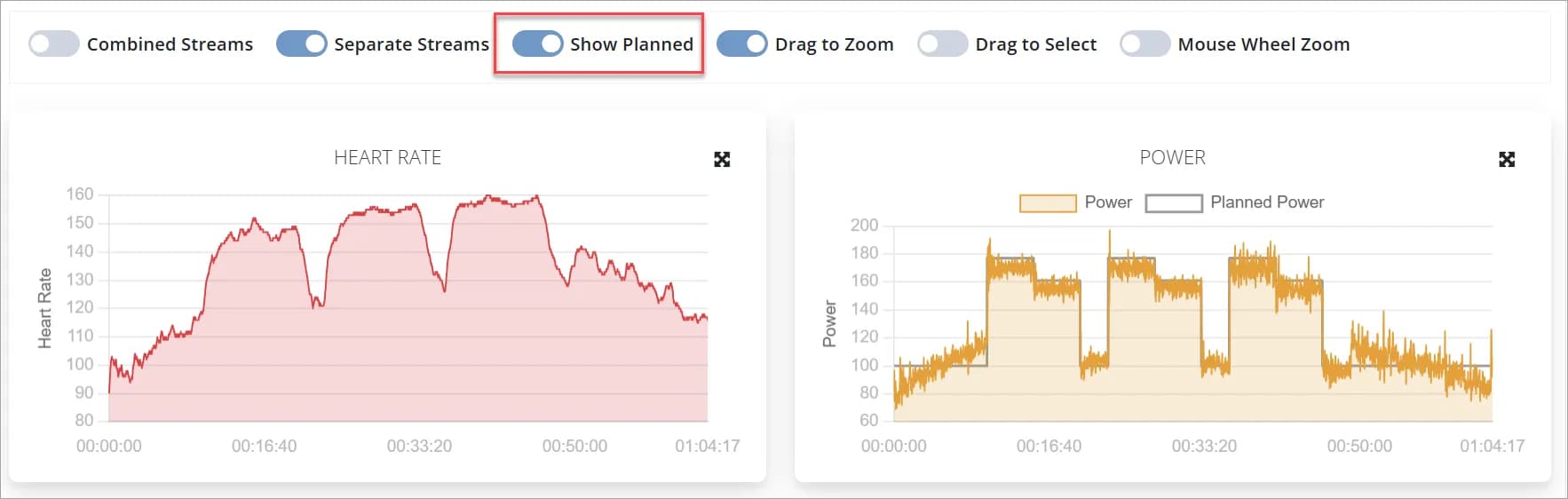
Both coaches an athletes can decide if they want to toggle this on or off on the workout analysis screens and that will be saved in their settings. All the other toggles on the analysis screen will now also be saved.

Example of Actual vs Planned Power Below
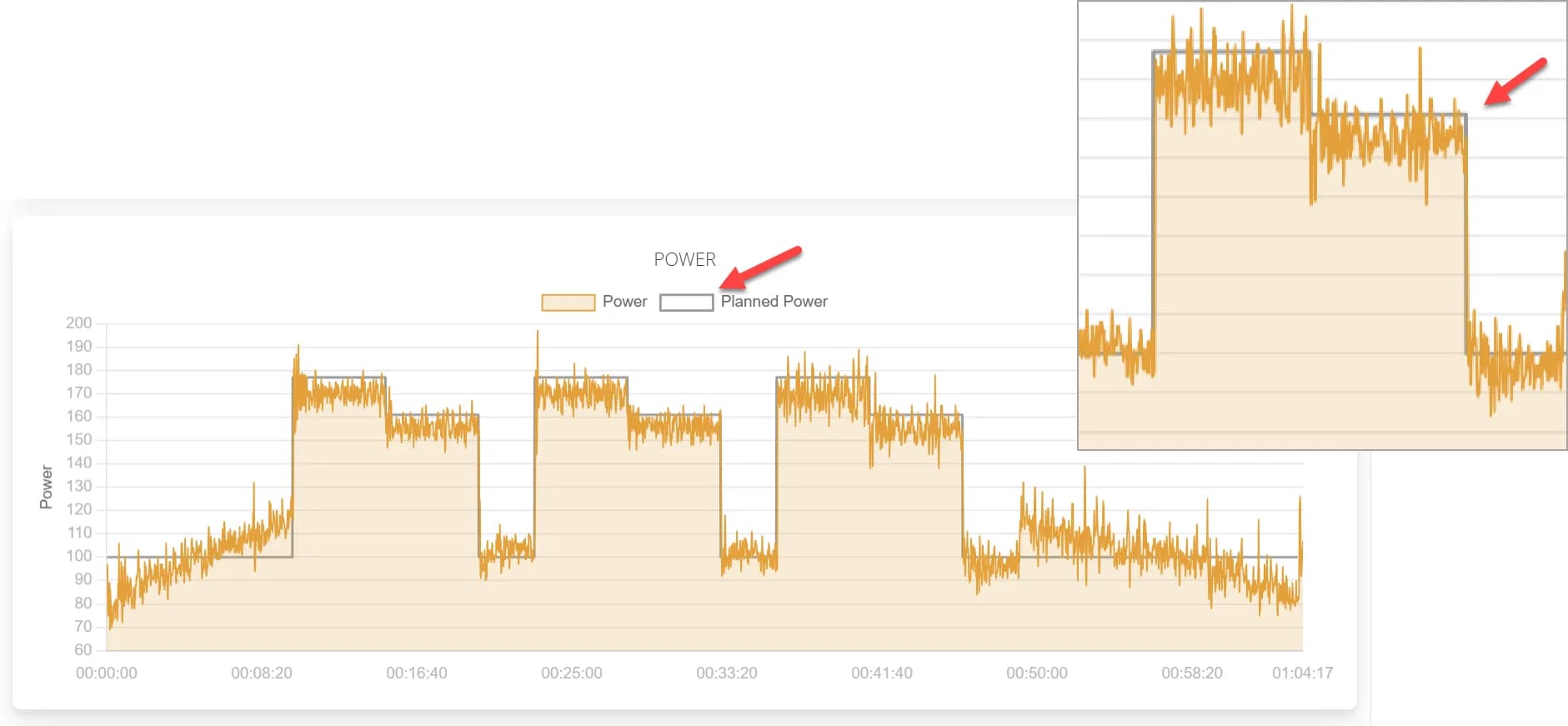
ActualvsPlanned Power

Chart Showing Planned vs Actual Time in Zones

ActualvsPlanned Time Zone Chart

How to Toggle Planned Data On and Off

Note: This toggle will only show if the completed workout has an associated structured workout

This will be saved along with all the other toggles, so next time any workout is loaded it will use your saved settings.

Toggle Data OnOff

Frequently Asked Questions

It's easy, just click the "Get Started" or "Free Trial" button at the top of the page, choose a plan, click the sign up button and fill in the form. It's a fully automated process, as soon as you have signed up your new Training Tilt site will be ready for you.
No, there are no long term contracts for any of our plans. If for any reason you no longer wish to continue your subscription to Training Tilt you can cancel at any time.
No, we do not charge members to use your system. Training Tilt was designed to help fitness professionals manage their clients and business. You can however use the Training Tilt platform to collect recurring payments from your clients using the Membership Plan tools.
Yes at any time you can upgrade or downgrade to any of our plans. We calculate our plans on a daily basis so you only pay for what you use. You can upgrade for a day to check out the new plan and downgrade again and we'll only charge you for a days worth of use.
When you signed up you would have recieved an email with your own custom website address that you chose during the process. You need to login from this custom address. The address would have been in the format http://yourbusiness.trainingtiltapp.com. If you've forgotten your address or can't find the email, send us a message at support@trainingtilt.com and we will find it for you.
It sure is, with a few simple steps you can have your existing or new domain name pointing to your Training Tilt website. If you don't have a domain, that's no problem you can use one of our sub domains. e.g. http://yourbusiness.trainingtiltapp.com
Yes you can, if you have already invested in a website you are happy with you can still use Training Tilt to build training plans and share resources with your athletes. It's a simple process to add a link from your existing website so your clients can log in to your Training Tilt site.
Yes our mobile apps can be downloaded from the Google Play Store and Apple App Store for Android and IOS devices.
Training Tilt is a cloud based application, all our servers and data are based in Microsoft data centers in secure locations. Data is backed up on a regular basis, and we have the ability to scale our systems within a matter of minutes as our demand increases. Our cloud based architecture is also the reason why we can offer our service at such a reasonable price.
For whatever reason you can choose to cancel your subscription at any time. Just login, access the billing page and click the cancel button. As long as you cancel before the next billing cycle starts your won't be charged.

More questions?

Get in touch